
FL Studio vs Logic Pro X: Choosing the Best DAW for You
The FL Studio vs Logic Pro debate has been going on for over a decade, and it still sparks heated arguments in every producer forum online. Both are world-class DAWs used by Grammy-winning producers, bedroom beatmakers, and everyone in between. But they take fundamentally different approaches to music production, and the right choice depends entirely on how you work, what you produce, and what platform you're on.
This is the definitive FL Studio vs Logic Pro comparison for 2026. We're going deep on workflow, features, sound quality, plugin ecosystems, pricing, and genre suitability so you can make an informed decision instead of just following what your favorite YouTuber uses.
Is FL Studio the Best DAW?
FL Studio has a legitimate claim to that title, especially for beat-based production. It's the most popular DAW in hip-hop, trap, EDM, and electronic music for good reason. The pattern-based workflow, legendary Piano Roll, and lifetime free updates make it an incredibly compelling package.
Here's what makes FL Studio stand out:
- The Piano Roll is widely considered the best in any DAW. MIDI editing is fast, intuitive, and packed with tools like ghost notes, slide notes, and advanced quantization that other DAWs still haven't matched.
- Lifetime free updates mean you pay once and get every future version at no extra cost. FL Studio 2024 users got the 2026 update for free. No other major DAW offers this.
- Cross-platform support (Windows and macOS) gives you flexibility that Logic Pro simply cannot.
- The mixer is endlessly flexible with unlimited routing options, making complex signal chains straightforward.
- Pattern-based workflow is perfect for loop-based genres. You build patterns, then arrange them. It clicks instantly for producers who think in loops.
That said, calling any single DAW "the best" is misleading. FL Studio excels in specific areas but has real weaknesses in others. The best DAW is the one that fits your workflow and genre.
FL Studio vs Logic Pro: Key Differences
Before we get into specific use cases, let's lay out the fundamental differences between FL Studio and Logic Pro. These aren't minor preferences; they represent genuinely different philosophies about how music should be made.
Platform Availability
This is the single biggest differentiator. Logic Pro is macOS-only. If you're on Windows, the decision is already made for you. FL Studio runs on both Windows and macOS, and Image-Line also offers a mobile version for iOS and Android.
Workflow Philosophy
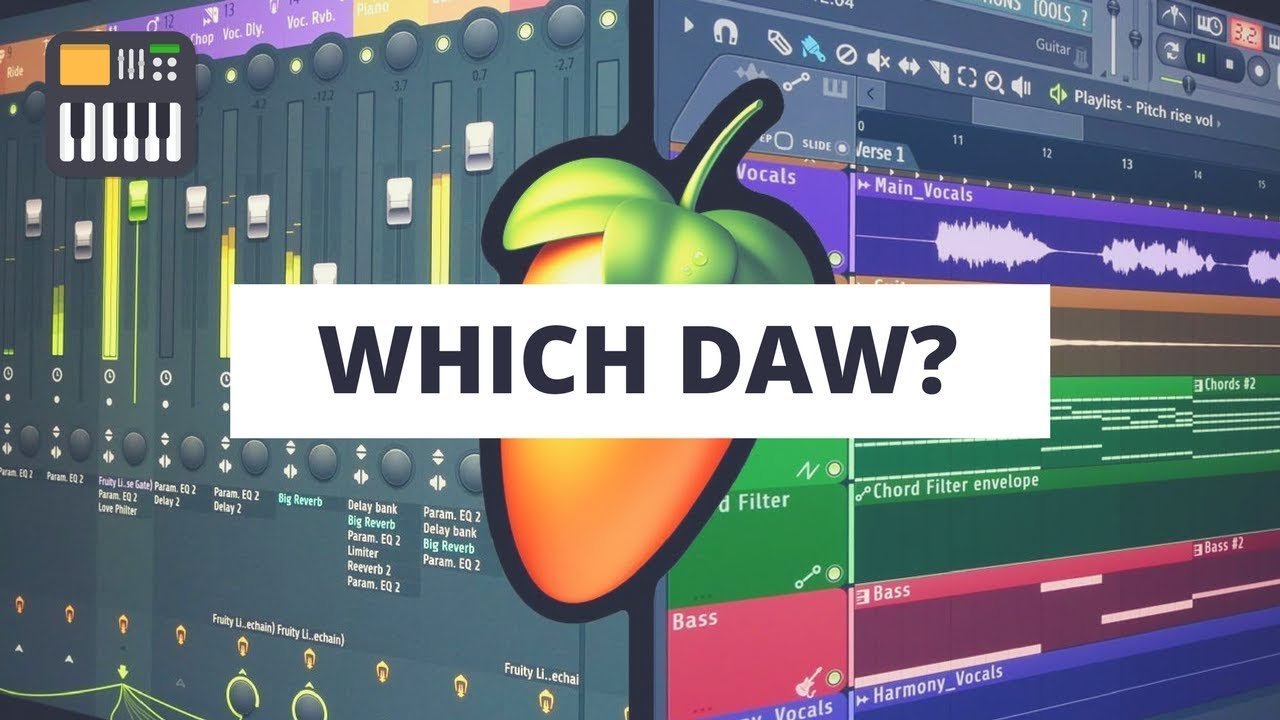
FL Studio uses a pattern-based workflow. You create individual patterns (drums, bass, melody) in the Channel Rack, then arrange those patterns on the Playlist timeline. This is incredibly intuitive for electronic and hip-hop production where you're building loops and variations.
Logic Pro uses a linear timeline workflow, similar to Pro Tools and Cubase. You record or place MIDI and audio directly onto a timeline from the start. This feels more natural for recording-based production: bands, singer-songwriters, and film scoring.
Built-In Instruments and Effects
Logic Pro ships with a massive library of instruments, Apple Loops, and effects. The built-in synths (Alchemy, ES2, Retro Synth) and samplers (Sampler, Quick Sampler) are genuinely professional-quality. You get a full production toolkit out of the box.
FL Studio also includes solid native plugins. Sytrus, Harmor, and FLEX are capable synthesizers. GrossBeat is a staple for hip-hop production. But overall, Logic's built-in instrument library is larger and more polished, especially for acoustic and orchestral sounds.
Audio Recording
Logic Pro was built for audio recording from day one. Comping takes, punch-in recording, and audio editing are seamless. FL Studio has improved dramatically in this area over recent versions, but audio recording still feels more natural in Logic. If you're recording live instruments or vocals frequently, this matters.
MIDI Editing
FL Studio wins this one convincingly. The Piano Roll is faster, more feature-rich, and more intuitive than Logic's MIDI editor. Ghost notes (seeing other patterns behind your current one), slide notes, portamento controls, and micro-pitch editing give you granular control that Logic simply doesn't match.

FL Studio or Logic Pro for Beginners
If you're just starting out, both DAWs have a learning curve. But they're different kinds of learning curves.
FL Studio is easier to start making beats in. The pattern-based workflow means you can have a basic drum loop going in five minutes. The interface is visual and immediate. You click in notes, hit play, and hear results. For beginners interested in hip-hop, trap, or electronic music, FL Studio gets you to a finished beat faster.
Logic Pro is easier to start recording in. If you're a singer, guitarist, or in a band, Logic's recording workflow is more intuitive. Hit record, play, and you've got audio on a timeline. The included loops and instruments also let beginners create full arrangements without any third-party plugins.
Is FL Studio easier than Logic overall? Not necessarily. FL Studio's routing system and mixer can be confusing at first. Logic's interface is cleaner and more organized, though it hides a lot of power under the surface with its "Advanced Tools" toggle.
Is Logic Pro easier than FL Studio? For traditional music production and recording, yes. For beat-making and electronic production, no.
Here's the real advice for beginners: download the trial versions of both and spend a weekend with each. FL Studio offers an unlimited free trial (you just can't reopen saved projects). Logic Pro doesn't have a free trial, but GarageBand (which is free on every Mac) uses the same engine and interface paradigm. Start with GarageBand, and if you like it, Logic Pro will feel like a natural upgrade.
If you're a beginner interested in beat-making specifically, check out our guide on how to make boom bap beats for a practical walkthrough of the production process.
Is FL Studio Better Than Logic Pro for Beat Making?
Yes, and it's not particularly close.
FL Studio was designed around beat-making. The Channel Rack lets you program drum patterns by clicking on a step sequencer grid. The Piano Roll makes melody writing fast and precise. The pattern-based arrangement system means you can build a full beat by stacking and rearranging loops, which is exactly how most beat-makers think.
Specific FL Studio advantages for beat-making:
- Step sequencer for rapid drum programming
- Ghost notes in the Piano Roll let you see your chord progression while writing a melody over it
- GrossBeat for half-speed, tape stop, and glitch effects that are staples of modern hip-hop
- Edison for quick sample chopping and editing
- SliceX and DirectWave for advanced sampling workflows
- Fruity Slicer for old-school sample chopping (great for boom bap)
Logic Pro can absolutely make beats. Producers like No I.D. and Hit-Boy have used it extensively. But the workflow requires more steps to achieve the same results. Logic's Drummer track is excellent for realistic drum programming, but it's not designed for the kind of precise, pattern-based beat construction that hip-hop and electronic producers need.
For specific genre guidance, our jersey club and drill beats guide walks through patterns that are particularly well-suited to FL Studio's workflow.
Looking for quality sounds to load into FL Studio? Our breakdown of FL Studio sample packs and drum kits covers everything you need to know about building your sound library.
Is Logic Pro Better Than FL Studio for Recording?
Yes, Logic Pro has a clear edge for recording-centric workflows.
Logic Pro's recording features are mature, stable, and deeply integrated:
- Comping is seamless. Record multiple takes, then swipe to select the best parts of each take. Logic makes this effortless.
- Flex Time and Flex Pitch let you correct timing and pitch of audio recordings non-destructively. These tools rival dedicated pitch correction software.
- Low-latency monitoring works reliably with most audio interfaces.
- Track Stacks let you group and organize large recording sessions cleanly.
- Apple Silicon optimization means Logic runs incredibly efficiently on M-series Macs, handling huge session track counts without breaking a sweat.
FL Studio's recording has improved significantly, particularly since FL Studio 21. You can now record audio, comp takes, and use playlist audio clips effectively. But it still feels like a feature that was added to a beat-making tool, rather than a core design principle. Punch-in recording, in particular, is more cumbersome than in Logic.
If you're a vocalist, band, or anyone who records live audio regularly, Logic Pro provides a smoother experience. If recording is secondary to programming, FL Studio's limitations here probably won't bother you.
Once you've recorded your tracks, the mixing stage is critical. Our complete guide to mixing hip-hop beats covers the fundamentals that apply regardless of which DAW you choose.
FL Studio vs Logic Pro: Built-In Plugins and Effects
Both DAWs come with solid stock plugins, but the strengths are different.
Logic Pro's Plugin Highlights
- Alchemy is a world-class wavetable/granular/additive/spectral synth. It would be worth paying for as a standalone plugin. The sound library is enormous.
- Sampler and Quick Sampler make sampling fast and intuitive. Drag in any audio file and start playing it as an instrument.
- Drum Machine Designer offers a modern drum programming interface with extensive kits.
- Space Designer is a convolution reverb with high-quality impulse responses.
- Channel EQ, Compressor, and Limiter are clean, transparent mixing tools.
- ChromaVerb and Silververb provide excellent algorithmic reverb options.
- Vintage EQ Collection, Vintage Console, and other analog-modeled processors add character.
FL Studio's Plugin Highlights
- Sytrus is an FM synthesizer that can produce anything from classic FM sounds to modern basses and pads.
- Harmor uses additive/subtractive resynthesis for unique sound design capabilities.
- FLEX is a preset-based synth with a huge library of high-quality sounds, perfect for quick inspiration.
- GrossBeat is a time and volume manipulation plugin that's become a defining sound of modern hip-hop. Half-time effects, stutters, and glitches are a few clicks away.
- Patcher lets you build complex modular processing chains and save them as presets.
- Maximus is a multiband compressor/limiter that's powerful for both mixing and mastering.
- Vocodex is one of the most flexible vocoders available in any DAW.
The verdict: Logic Pro wins on sheer volume and variety of included content. The sound library alone (orchestral instruments, world instruments, vintage keyboards) is massive. FL Studio's plugins are more focused on electronic and hip-hop production, and tools like GrossBeat and Harmor are genuinely unique. For a deeper look at third-party options, see our best VST plugins for hip-hop production guide.
FL Studio vs Logic Pro: Price and Value
This is where the conversation gets interesting.
FL Studio Pricing (2026)
- Fruity Edition: $99 - Limited (no audio recording, fewer plugins)
- Producer Edition: $199 - Full audio recording, core plugins
- Signature Bundle: $299 - Adds more plugins including GrossBeat, Harmor, NewTone
- All Plugins Bundle: $499 - Everything Image-Line makes
All editions include lifetime free updates. This is FL Studio's killer value proposition. You pay once and never pay for an upgrade again. Someone who bought FL Studio 10 in 2011 got FL Studio 2026 for free.
Logic Pro Pricing (2026)
- Logic Pro: $199.99 one-time purchase
- Logic Pro subscription: $6.99/month
Logic Pro is a single product with all features included. No tiers, no upsells. Major version upgrades have historically been free or very low-cost (Logic Pro X was free updates for nearly a decade).
The Real Value Comparison
At face value, Logic Pro at $199.99 gives you more included content than FL Studio's Producer Edition at the same price. Logic includes a massive sound library, all instruments, all effects, and full features.
But FL Studio's lifetime free updates change the long-term math. Over 5-10 years of production, you'll never pay another cent. Logic has been generous with free updates historically, but there's no guarantee that continues.
Also consider: Logic Pro requires a Mac. If you don't already own one, factor in the cost of hardware. A Mac Mini or MacBook Air adds $599-$1,199+ to the equation. FL Studio runs on a $500 Windows laptop.
FL Studio vs Logic Pro for Soundtrack and Film Production
Film scoring and soundtrack production is one area where Logic Pro has a decisive advantage over FL Studio.
Logic Pro was built with professional media production in mind:
- SMPTE timecode sync for locking to video
- Video import directly into the project for scoring to picture
- Marker tracks for scene changes and hit points
- Tempo mapping with beat detection and variable tempo that follows the picture
- Massive orchestral library included (strings, brass, woodwinds, percussion)
- Surround sound mixing support, including Dolby Atmos spatial audio
- Score editor for working with traditional notation
FL Studio can technically score to video with third-party tools and workarounds, but it's not designed for it. The pattern-based workflow doesn't lend itself to the kind of linear, scene-by-scene composition that film scoring demands. If soundtrack production is your focus, Logic Pro is the clear choice.
Hans Zimmer uses Cubase. But many Hollywood composers and TV scorers use Logic Pro, including Trent Reznor and Atticus Ross, who scored films like The Social Network and Soul.

FL Studio vs Logic Pro Comparison: Pros and Cons
FL Studio Pros
- Best-in-class Piano Roll for MIDI editing
- Lifetime free updates (unbeatable long-term value)
- Cross-platform (Windows + macOS)
- Pattern-based workflow ideal for beat-making
- Step sequencer for rapid drum programming
- Flexible mixer with unlimited routing
- Unique plugins like GrossBeat, Harmor, and Patcher
- Strong community and massive tutorial library
- Mobile companion app (FL Studio Mobile)
FL Studio Cons
- Audio recording workflow is less polished than Logic
- Comping takes is more cumbersome
- No built-in notation editor
- Smaller included sound library compared to Logic
- Interface can feel cluttered with multiple floating windows
- No surround/spatial audio support
- The cheapest edition (Fruity) is too limited for serious work
Logic Pro Pros
- Exceptional audio recording and comping
- Massive included sound library and instruments
- Alchemy synth is world-class
- Clean, organized single-window interface
- Dolby Atmos and spatial audio support
- Film scoring and video sync tools
- Deep Apple Silicon optimization
- $199.99 for everything, no tiers
- GarageBand serves as a free on-ramp
Logic Pro Cons
- macOS only (requires Apple hardware)
- MIDI editing is less powerful than FL Studio's Piano Roll
- No lifetime free update guarantee
- Pattern-based beat-making is less intuitive
- Advanced features hidden behind "Advanced Tools" toggle
- No native Windows or Linux support
- Drummer track is great for rock/pop but less useful for hip-hop
Which Is Better: FL Studio or Logic Pro?
After breaking down every major difference between FL Studio and Logic Pro, here's the honest answer: neither is objectively better. But one is almost certainly better for you.
Choose FL Studio if:
- You make hip-hop, trap, EDM, or any beat-driven genre
- You're on Windows (or want cross-platform flexibility)
- MIDI programming is your primary workflow
- You want lifetime free updates
- You value the Piano Roll above all else
- You produce lo-fi hip-hop (check out our lo-fi hip-hop production guide)
Choose Logic Pro if:
- You record live instruments and vocals regularly
- You're already on Mac and want deep hardware integration
- You do film scoring, podcast production, or surround mixing
- You want the largest built-in sound library
- You prefer a traditional linear timeline workflow
- You want spatial audio and Dolby Atmos capabilities
The bottom line: The FL Studio vs Logic Pro debate will never have a universal winner because they solve different problems. The producers who get the most done are the ones who picked a DAW, committed to learning it deeply, and stopped worrying about what everyone else uses. Both FL Studio and Logic Pro are capable of professional results. Your skills, creativity, and dedication to the craft matter infinitely more than which software you load up.
Ready to level up?
Great beats start with great sounds. The PARADISO Sound Kit delivers 2,350+ production-ready sounds--drums that punch, tuned 808s, and melodies that inspire.
Grab our free sample kit and hear the difference:

Written by Peter Lam