Artikel: Maximizing Your Drum Sample Pack: Creative Ways to Use Loops and Kits

Maximizing Your Drum Sample Pack: Creative Ways to Use Loops and Kits
Most producers own more drum samples than they'll ever use. Thousands of kicks, snares, hi-hats, and loops sitting in folders, half-forgotten. The problem isn't having too few sounds. It's not knowing how to squeeze real value out of the ones you already have.
A single well-curated drum kit can fuel dozens of beats if you know how to manipulate, layer, and rearrange what's inside. This guide covers the techniques that turn a basic sample pack into a production powerhouse.
Why Most Producers Waste Their Drum Kits
The pattern is predictable. You download a new drum kit, audition a few sounds, drag the first decent kick and snare into your project, and call it done. The other 90% of the pack sits untouched.
This happens because producers treat drum kits like finished ingredients instead of raw material. A kick sample isn't just a kick. It's a starting point for layering, processing, and reshaping into something that fits your specific track.
The producers who get the most out of their kits approach them differently. They explore every sound, experiment with combining elements, and process aggressively. One kit becomes ten different sonic palettes depending on how you manipulate it.
Before buying your next sample pack, ask yourself: have you actually explored everything in the ones you already own? Most producers haven't come close.
Layering Drum Samples for Unique Sounds
Layering is the single most effective technique for creating drums that sound like yours instead of everyone else's. Two or three average samples stacked intelligently will outperform any single "perfect" sample.
Kick layering fundamentals: Combine a sub-heavy kick for low-end weight with a punchy mid-range kick for attack. High-pass one, low-pass the other, and blend. The result is a kick that hits hard across the full frequency spectrum without muddiness.
Snare layering: Stack a tight acoustic snare with a clap and a noise layer. The acoustic snare provides body, the clap adds width, and the noise layer (even white noise with a fast decay) gives presence. This is how producers create snares that cut through dense mixes.
Hi-hat stacking: Layer a crisp digital hi-hat with a recorded cymbal sample. Pan them slightly apart. This creates stereo width and organic movement that single samples can't achieve.
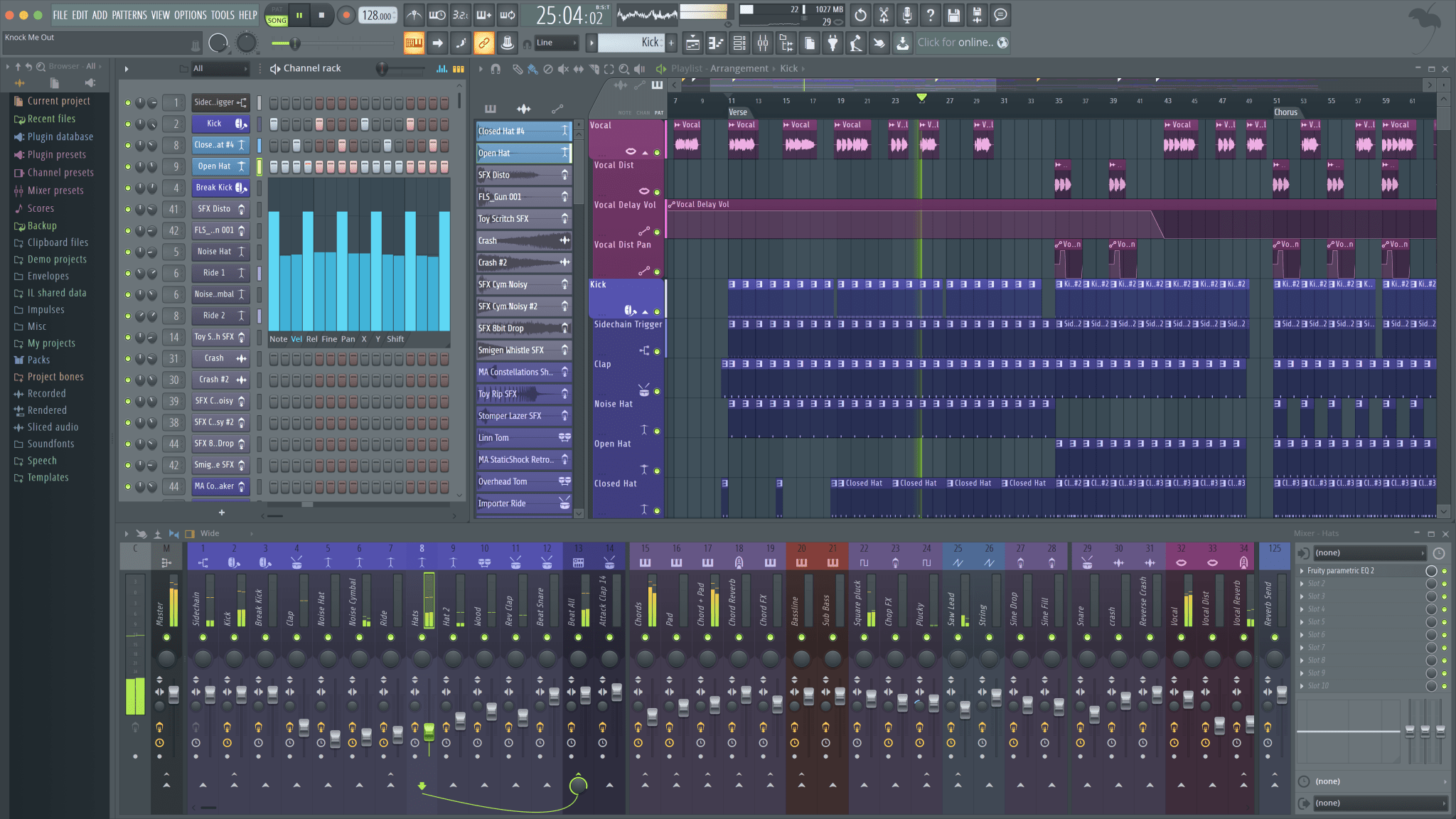
The key to layering is phase alignment. Zoom in and make sure your transients line up. A misaligned layer creates a flabby, unfocused sound instead of a powerful combined hit. Most DAWs let you nudge samples by individual samples—use this precision.
If you're working with a comprehensive kit like the PARADISO Sound Kit, the layering possibilities multiply. With 2,350+ sounds organized by category, you can quickly audition combinations without hunting through disorganized folders.
How to Chop and Rearrange Drum Loops
Drum loops are underrated creative tools. Many producers either use them as-is (boring) or ignore them entirely (wasteful). The real power of loops emerges when you chop them apart.
Basic chopping: Load a drum loop into your sampler and slice it at each transient. Now you have individual hits extracted from a loop—kicks, snares, hats, and ghost notes that were played by a real drummer or carefully programmed. These extracted hits carry the groove and processing of the original loop.
Rearranging for new patterns: Take those sliced hits and reprogram them into entirely new patterns. The sounds retain their original character while the rhythm becomes yours. A boom bap loop can become a trap pattern. A house loop can transform into a half-time groove.
Reverse chopping: Reverse individual chops for pre-hits and transitions. A reversed snare before the actual snare hit creates anticipation. Reversed hi-hat patterns generate unusual rhythmic textures that work especially well in lo-fi production.
Time-stretching chops: Stretch individual hits to create risers, impacts, and textural elements. A kick drum stretched to 2 seconds becomes a booming sub drop. A snare stretched becomes atmospheric noise. This technique turns percussive samples into sound design tools.
Processing Techniques That Transform Stock Sounds
Processing is where stock sounds become signature sounds. Every professional producer has processing chains that transform generic samples into something recognizable.
Saturation and distortion: Light saturation adds harmonics that help drums cut through a mix. Heavier distortion creates aggressive textures for drill and club beats. Try running a clean 808 through tape saturation—the warmth it adds is immediately noticeable.
Transient shaping: More attack makes drums punch harder. Less attack creates laid-back, smooth hits. Transient shapers give you control that EQ and compression can't match. Use them on individual hits and on your drum bus.
Pitch manipulation: Pitch a snare down an octave for a completely different character. Pitch hi-hats up for crispness or down for darkness. Even subtle pitch shifts (1-2 semitones) can make a familiar sample sound fresh. This is critical for trap-style production where tuned percussion defines the vibe.
Creative reverb and delay: Gated reverb on snares for that classic 80s feel. Short room reverb for natural space. Delay throws on specific hits for rhythmic interest. Reverse reverb for pre-hit swells. These effects don't just add space—they change the fundamental character of your drums.
Parallel processing: Duplicate your drum bus, compress the duplicate aggressively (or distort it), and blend it back in. This adds energy and density without sacrificing dynamics. It's the secret behind drums that sound both punchy and full.
Organizing Your Drum Sample Library
You can't use what you can't find. Library organization directly impacts your creative output because time spent searching is time not spent creating.
Folder structure that works: Organize by type first (kicks, snares, hi-hats, percussion, loops), then by character (punchy, boomy, bright, dark, acoustic, electronic). Avoid organizing by pack name—you'll never remember which pack had that one snare you liked.
Tag and rate your favorites: Most sample browsers support favorites or ratings. After every session, tag the samples you actually used. Over time, you build a curated "go-to" folder that dramatically speeds up sound selection.
Purge ruthlessly: If you haven't used a sample in six months, move it to an archive folder. A smaller, curated library beats a massive, disorganized one every time. Quality over quantity.
Use sample management tools: Applications like XLN Audio's XO, ADSR Sample Manager, or Splice's desktop app use AI to analyze and organize samples by sonic characteristics. These tools let you find sounds by similarity rather than folder location, which is far more intuitive during creative sessions. If you're exploring AI tools for production, sample management is one of the most practical starting points.
Building Complete Beats from a Single Kit
Challenge yourself: build five completely different beats using only one drum kit. No outside samples. This exercise forces creativity and reveals how much range exists in a single well-designed pack.
Beat 1 — straight trap: Use the kit's heaviest kick, sharpest snare, and fastest hi-hats. Standard trap pattern, heavy 808 work. This establishes your baseline.
Beat 2 — boom bap flip: Take the same kit but choose different samples. Dustier kick, looser snare. Program a boom bap groove with swing. Process everything through vinyl emulation.
Beat 3 — minimal and ambient: Use only three or four elements from the kit. Heavy processing—long reverbs, pitched-down hits, filtered loops. Prove that less is more.
Beat 4 — high-energy club: Layer multiple kicks for a four-on-the-floor pattern. Stack claps and snares for impact. Speed up hi-hat patterns. Push the kit into jersey club territory.
Beat 5 — experimental: Reverse everything. Pitch-shift randomly. Time-stretch loops beyond recognition. Use the kit's sounds as raw material for sound design rather than traditional drums.
This exercise builds the creative muscle that makes you dangerous with any sample pack. The kit doesn't limit you—your approach does.
When to Use Loops vs One-Shots (FAQ)
Use loops when you want a natural, human feel that's difficult to program. Live-recorded drum loops carry groove nuances—ghost notes, subtle timing variations, dynamic fluctuations—that give beats an organic quality. They're ideal for R&B beats, lo-fi, and boom bap where feel matters more than precision.
Use one-shots when you need complete control over timing, velocity, and processing of each hit. Trap, drill, and modern Hip-Hop production generally demand the precision that one-shots provide. You control every element independently.
Use both when you want the best of both worlds. Layer a programmed pattern (one-shots for precision) with a loop (for organic texture) and blend them. This hybrid approach is common in professional production and creates drums that feel both tight and alive.
How Many Drum Samples Do You Actually Need? (FAQ)
Fewer than you think. Most professional producers rely on a core set of 50-100 go-to samples that they know intimately. They might own thousands, but the sounds that actually end up in released tracks? A fraction.
Start with one solid, well-organized kit. Learn every sound in it. Process them, layer them, chop them. When you've genuinely exhausted its possibilities—not when you're bored after two sessions, but when you've actually explored it fully—then consider expanding.
The PARADISO Sound Kit is built around this philosophy: a comprehensive collection organized so you can find what you need fast and focus on creating instead of collecting.
Ready to level up?
Great beats start with great sounds. The PARADISO Sound Kit delivers 2,350+ production-ready sounds—drums that punch, tuned 808s, and melodies that inspire.
Grab our free sample kit and hear the difference:

Av Peter Lam